
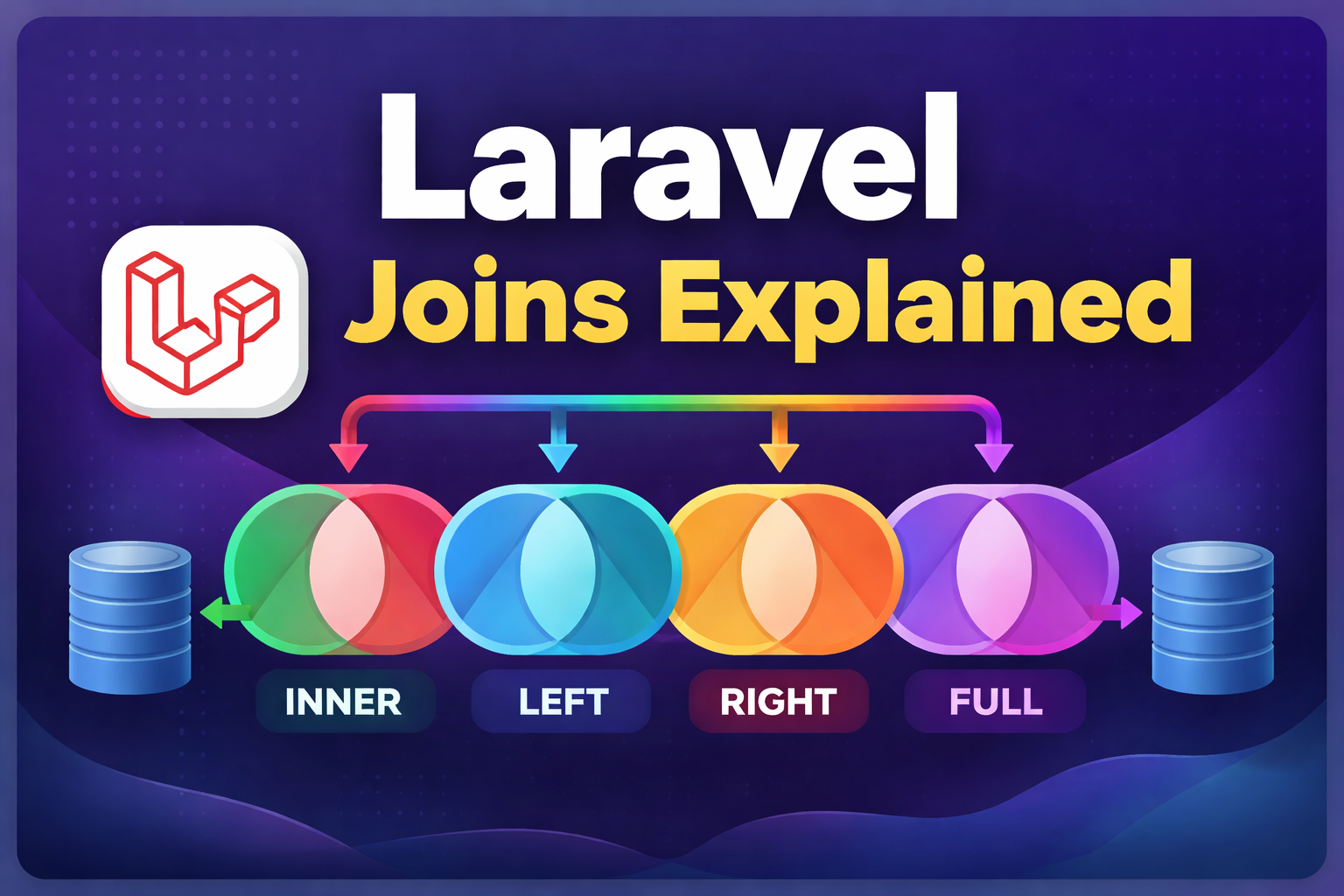
Laravel Joins Explained with Simple & Practical Examples
(INNER, LEFT, RIGHT & FULL JOIN)
When building real-world applications in Laravel, working with multiple database tables is unavoidable.
Whether you’re creating dashboards, APIs, or reports, you’ll often need to fetch related data efficiently.
This is where Laravel joins become essential.
In this guide, I’ll explain INNER JOIN, LEFT JOIN, RIGHT JOIN, and FULL JOIN in Laravel using simple tables, SQL logic, and clean Query Builder examples—so even beginners can understand them easily.
What Are Joins in Laravel?
A join allows you to combine rows from two or more database tables based on a related column.
Laravel provides an elegant way to write joins using the Query Builder, making queries readable and easy to maintain.
Example Tables Used
To keep things simple, we’ll use two tables.
users table
| id | name |
|---|---|
| 1 | Rahul |
| 2 | Amit |
| 3 | Neha |
posts table
| id | user_id | title |
|---|---|---|
| 1 | 1 | Laravel Tips |
| 2 | 1 | PHP Basics |
| 3 | 2 | JavaScript |
| 4 | 4 | Python |
Important Notes
user_id = 4does not exist in the users table- Neha (id = 3) has no posts
These cases help explain how each join behaves.
INNER JOIN in Laravel (Matching Records Only)
What INNER JOIN Does
INNER JOIN returns only records that exist in both tables.
If there’s no match on either side, the record is excluded.
SQL Example
SELECT users.name, posts.title
FROM users
INNER JOIN posts ON users.id = posts.user_id;
Laravel Query Builder Example
$data = DB::table('users')
    ->join('posts', 'users.id', '=', 'posts.user_id')
    ->select('users.name', 'posts.title')
    ->get();
Result
| name | title |
|---|---|
| Rahul | Laravel Tips |
| Rahul | PHP Basics |
| Amit | JavaScript |
❌ Neha is missing (no posts)
❌ Python post is missing (invalid user)
LEFT JOIN in Laravel (All Users Included)
What LEFT JOIN Does
LEFT JOIN returns all records from the left table, even if no matching record exists in the right table.
Missing values are returned as NULL.
SQL Example
SELECT users.name, posts.title
FROM users
LEFT JOIN posts ON users.id = posts.user_id;
Laravel Example
$data = DB::table('users')
    ->leftJoin('posts', 'users.id', '=', 'posts.user_id')
    ->select('users.name', 'posts.title')
    ->get();
Result
| name | title |
|---|---|
| Rahul | Laravel Tips |
| Rahul | PHP Basics |
| Amit | JavaScript |
| Neha | NULL |
✅ Neha appears even though she has no posts
RIGHT JOIN in Laravel (All Posts Included)
What RIGHT JOIN Does
RIGHT JOIN returns all records from the right table, even if no matching record exists in the left table.
⚠️ MySQL supports RIGHT JOIN, and Laravel Query Builder works with it.
SQL Example
SELECT users.name, posts.title
FROM users
RIGHT JOIN posts ON users.id = posts.user_id;
Laravel Example
$data = DB::table('users')
    ->rightJoin('posts', 'users.id', '=', 'posts.user_id')
    ->select('users.name', 'posts.title')
    ->get();
Result
| name | title |
|---|---|
| Rahul | Laravel Tips |
| Rahul | PHP Basics |
| Amit | JavaScript |
| NULL | Python |
✅ Python post is included even though the user does not exist
FULL JOIN in Laravel (Complete Data – UNION Trick)
What FULL JOIN Does
FULL JOIN returns all records from both tables, whether a match exists or not.
⚠️ MySQL does not support FULL JOIN directly, but we can simulate it in Laravel.
Laravel FULL JOIN Using UNION
$left = DB::table('users')
    ->leftJoin('posts', 'users.id', '=', 'posts.user_id')
    ->select('users.name', 'posts.title');

$full = DB::table('users')
    ->rightJoin('posts', 'users.id', '=', 'posts.user_id')
    ->select('users.name', 'posts.title')
    ->union($left)
    ->get();
Result
| name | title |
|---|---|
| Rahul | Laravel Tips |
| Rahul | PHP Basics |
| Amit | JavaScript |
| Neha | NULL |
| NULL | Python |
✅ Shows all users and all posts
Join Comparison Table
| Join Type | Left Table | Right Table | Only Matching |
|---|---|---|---|
| INNER | ❌ | ❌ | ✅ |
| LEFT | ✅ | ❌ | ❌ |
| RIGHT | ❌ | ✅ | ❌ |
| FULL | ✅ | ✅ | ❌ |
When Should You Use Each Join?
- INNER JOIN → When only matched data matters
- LEFT JOIN → When all users must appear
- RIGHT JOIN → When all posts must appear
- FULL JOIN → For complete reports and audits
Frequently Asked Questions (FAQs)
What is a join in Laravel?
A join in Laravel combines rows from multiple tables based on a related column using Query Builder or Eloquent.
What is the difference between INNER JOIN and LEFT JOIN?
INNER JOIN returns only matching rows, while LEFT JOIN returns all rows from the left table.
Does Laravel support FULL JOIN?
Laravel does not support FULL JOIN directly in MySQL, but it can be achieved using UNION.
Which join is best for performance?
INNER JOIN is usually the fastest because it returns fewer records.
Final Thoughts
Understanding Laravel joins is essential for building efficient and scalable applications.
Once you know when to use INNER, LEFT, RIGHT, and FULL JOIN, writing complex database queries becomes simple and predictable.
If you’re serious about backend development in Laravel, mastering joins is non-negotiable.

I'm a dedicated full-stack developer with expertise in building and managing dynamic web applications across both frontend and backend.
Yash Patel
Latest Blogs

Free Online Image Resizer – Resize Images Without Upload | EliteCodder
Dec 30, 2025
Laravel Joins Explained with Simple Examples (Inner, Left, Right & Full Join)
Dec 24, 2025
Build a Bird Game Using HTML, CSS & JavaScript – Complete Tutorial
Dec 23, 2025
Create REST API in Laravel Step-by-Step (Complete Guide)
Dec 22, 2025
Premium Website Hosting for 4 Years at Lowest Price | Hostinger
Jul 22, 2025
अहमदाबाद से माथेरान यात्रा गाइड – हिल स्टेशन की सुकूनभरी सैर
Jun 27, 2025


