
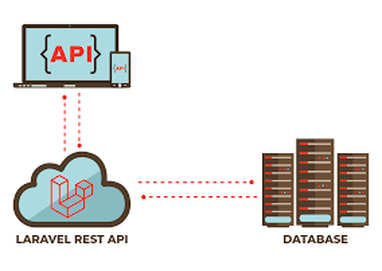
Introduction
REST APIs are the backbone of modern applications such as mobile apps, SPAs, and third-party integrations. Laravel makes API development clean, secure, and scalable.
In this tutorial, you’ll learn how to create a REST API in Laravel from scratch, including:
- API routes
- Controllers
- Validation
- JSON responses
- CRUD operations
- Best practices
What is a REST API?
REST (Representational State Transfer) is an architectural style that uses HTTP methods:
| Method | Purpose |
|---|---|
| GET | Fetch data |
| POST | Create data |
| PUT | Update data |
| DELETE | Remove data |
Step 1: Install Laravel
Create a new Laravel project:
composer create-project laravel/laravel laravel-apiMove into the project directory:
cd laravel-apiStart the server:
php artisan serveStep 2: Configure Database
Edit your .env file:
DB_DATABASE=laravel_api
DB_USERNAME=root
DB_PASSWORD=
Run migrations:
php artisan migrateStep 3: Create Model & Migration
We’ll create a Post API example.
php artisan make:model Post -mEdit migration file:
Schema::create('posts', function (Blueprint $table) {
    $table->id();
    $table->string('title');
    $table->text('description');
    $table->timestamps();
});
Run migration:
php artisan migrateStep 4: Create API Controller
php artisan make:controller API/PostControllerStep 5: Define API Routes
Open routes/api.php:
use App\Http\Controllers\API\PostController;

Route::get('/posts', [PostController::class, 'index']);
Route::post('/posts', [PostController::class, 'store']);
Route::get('/posts/{id}', [PostController::class, 'show']);
Route::put('/posts/{id}', [PostController::class, 'update']);
Route::delete('/posts/{id}', [PostController::class, 'destroy']);
All routes under api.php are prefixed with /api
Step 6: Build Controller Logic
Open PostController.php:
use App\Models\Post;
use Illuminate\Http\Request;

class PostController extends Controller
{
    public function index()
    {
        return response()->json(Post::all(), 200);
    }

    public function store(Request $request)
    {
        $validated = $request->validate([
            'title' => 'required',
            'description' => 'required',
        ]);

        $post = Post::create($validated);

        return response()->json($post, 201);
    }

    public function show($id)
    {
        return response()->json(Post::findOrFail($id), 200);
    }

    public function update(Request $request, $id)
    {
        $post = Post::findOrFail($id);

        $post->update($request->all());

        return response()->json($post, 200);
    }

    public function destroy($id)
    {
        Post::destroy($id);

        return response()->json(['message' => 'Post deleted'], 200);
    }
}
Step 7: Allow Mass Assignment
Edit Post.php model:
protected $fillable = ['title', 'description'];Step 8: Test API Using Postman
Create Post (POST)
POST /api/posts
{
  "title": "Laravel REST API",
  "description": "Step-by-step tutorial"
}
Get Posts (GET)
GET /api/posts
Update Post (PUT)
PUT /api/posts/1
Delete Post (DELETE)
DELETE /api/posts/1
Clone Laravel Project from GitHub
Open terminal and run:
git clone https://github.com/Yash000p/REST-API-in-Laravel.git
I'm a dedicated full-stack developer with expertise in building and managing dynamic web applications across both frontend and backend.
Yash Patel
Latest Blogs

Free Online Image Resizer – Resize Images Without Upload | EliteCodder
Dec 30, 2025
Laravel Joins Explained with Simple Examples (Inner, Left, Right & Full Join)
Dec 24, 2025
Build a Bird Game Using HTML, CSS & JavaScript – Complete Tutorial
Dec 23, 2025
Create REST API in Laravel Step-by-Step (Complete Guide)
Dec 22, 2025
Premium Website Hosting for 4 Years at Lowest Price | Hostinger
Jul 22, 2025
अहमदाबाद से माथेरान यात्रा गाइड – हिल स्टेशन की सुकूनभरी सैर
Jun 27, 2025


